TimeBudget: a passive time tracker that builds your day for you
An iOS app that pulls from Apple Watch, HealthKit, AniList, Pocket Casts, and ActivityWatch to show how you actually spend your time — no manual logging.
Every time tracker I've used has the same problem: you have to use it. You start a timer, forget to stop it, start another one three hours later, realise you forgot lunch, and by Friday your data is useless. I wanted something that just knew.
So I built TimeBudget — an iOS app that passively tracks your entire day by pulling from things your devices already know about. Sleep stages from your Apple Watch. Steps and workouts from HealthKit. Screen time from your Mac and iPhone. Manga chapters from AniList. Podcast episodes from Pocket Casts. Calendar meetings from EventKit. No timers, no buttons, no manual input.
The result is a single timeline of your day that you didn't have to build yourself.
The dashboard
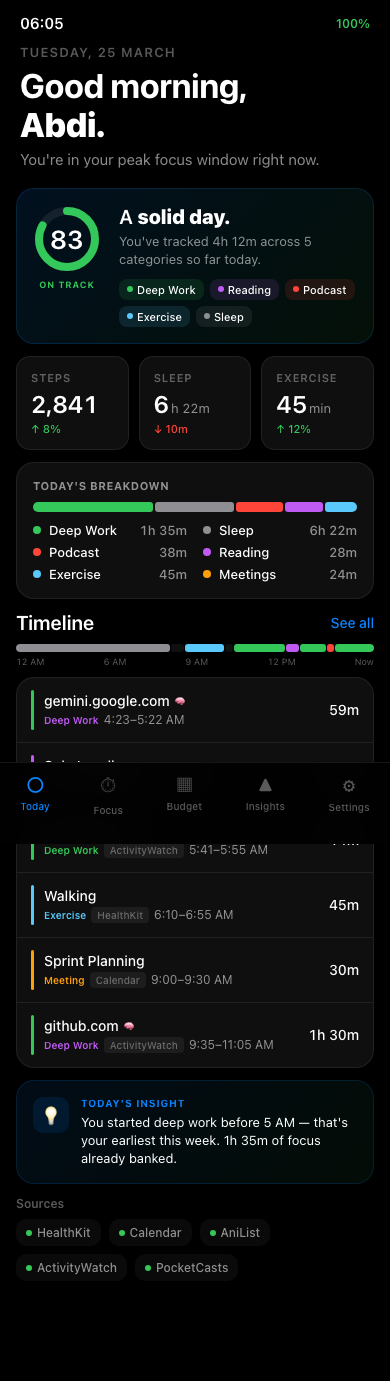
The Today tab opens with a daily score out of 100, calculated against targets you set — 4 hours of deep work, 1 hour of exercise, 8 hours of sleep, whatever your ideal day looks like. Below that, a category breakdown bar shows where your time actually went, and a full timeline lists every activity with the source it came from.
The greeting changes with the time of day. The insight line adapts to your patterns. None of it requires you to do anything except carry your phone and wear your watch.
Desk time across devices
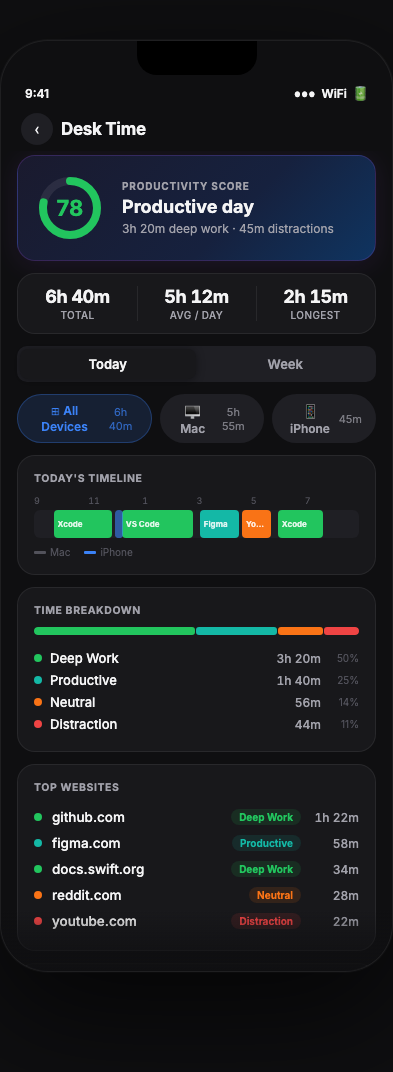
The hardest part was screen time. iOS sandboxes Screen Time data — apps can't read it directly. I solved this by building a Mac relay: a script called aw-import-screentime reads the iCloud Biome data on your Mac (where iOS syncs Screen Time), pushes it to a local ActivityWatch server, and the iOS app fetches both Mac and iPhone data concurrently.
The result is a unified desk time view with device filter pills — All Devices, Mac, iPhone — showing exactly how much time you spent in Xcode vs. VS Code vs. YouTube vs. Messages. Each app gets a productivity classification: deep work, productive, neutral, or distraction.
Insights that compound
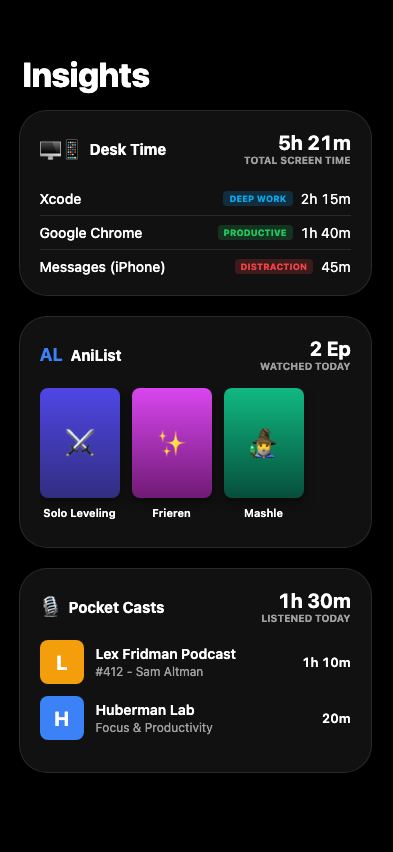
The Insights tab pulls everything together: 30-day trends, week-over-week comparisons, GitHub-style contribution heatmaps for activity, manga, coding practice, and desk time. After 90 days of data, it starts finding correlations — things like "you sleep 40 minutes more on days you exercise" or "your deep work peaks on Tuesdays."
The integrations make it personal. AniList shows your manga reading alongside your coding time. Pocket Casts shows podcast hours alongside exercise. It's not just a productivity tracker — it's a picture of how you actually live.
How it works
Everything stays on-device. SwiftData stores all the models locally. No backend, no cloud sync, no accounts. HealthKit queries run in parallel using async let. External API calls (AniList, Pocket Casts) are throttled to once per hour. Location uses significant change monitoring and geofencing — no continuous GPS.
On iOS 26+ with Apple Intelligence, the app uses the on-device foundation model to refine activity categories. Ambiguous browser sessions get properly classified, and AI-refined entries are marked with a badge in the timeline.
The stack
Language: Swift 5 · UI: SwiftUI · Storage: SwiftData (on-device) · Minimum: iOS 17+ · Frameworks: HealthKit, Core Motion, Core Location, EventKit · Integrations: ActivityWatch, AniList API, Pocket Casts, LeetCode
The full source is on GitHub: github.com/ItsAbdiOk/TimeBudget